 QRThali
For staffQRThali Staff
Your days, your salary, in plain sight.
Every staff member sees their own attendance and what they have earned, been paid and are still owed. No more arguments at the end of the month.
9:41
9:41
9:41
Screen 1
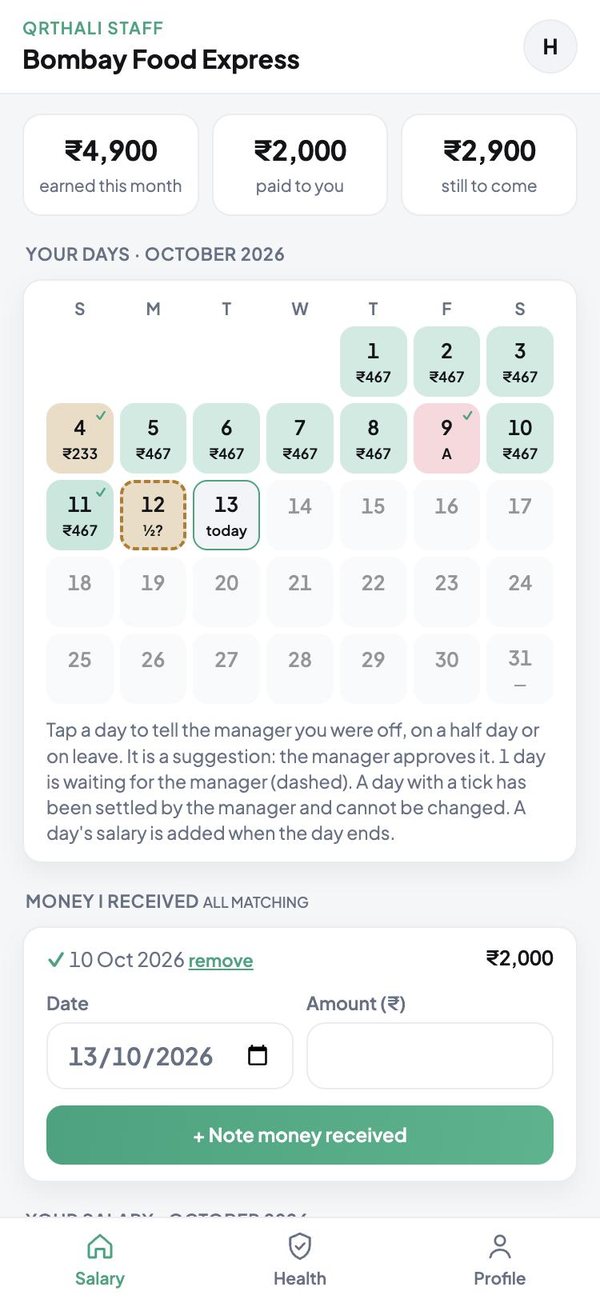
The month at a glance
What has been earned so far, what has been paid, and what is still to come.
- A calendar of the month with each day's wage
- Days settled by the manager carry a tick
- Note every payment or advance when you get it
- The restaurant's record and yours, matched line by line
9:41
Screen 2
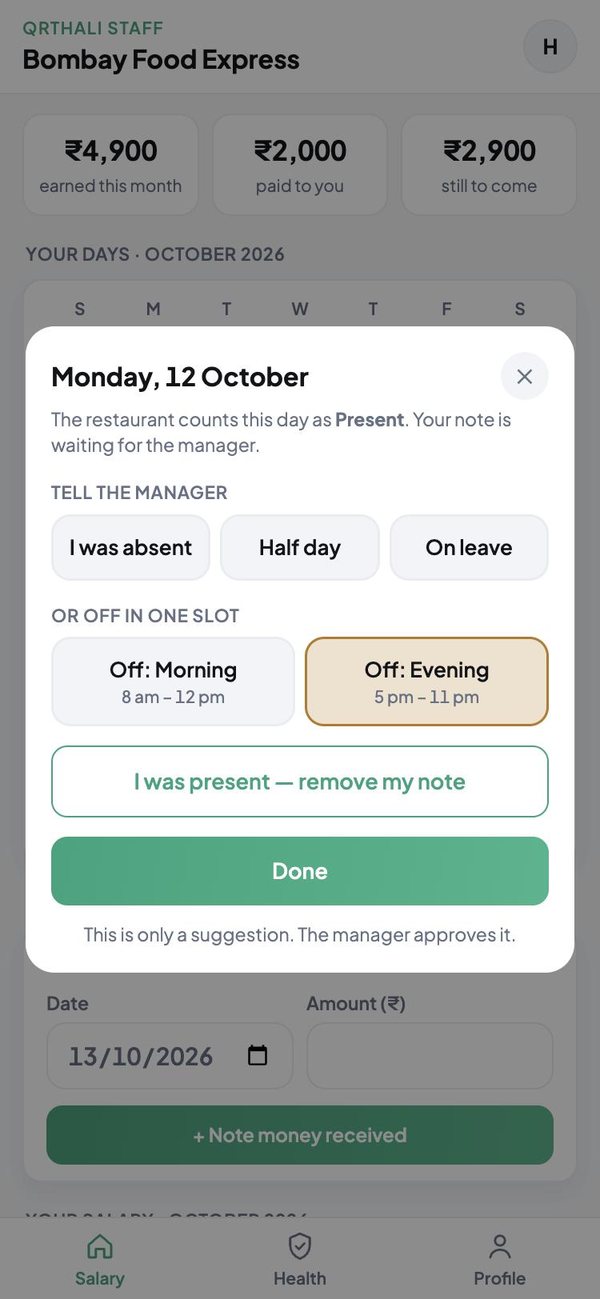
Tell the manager, in one tap
Was absent, on a half day, on leave, or off in one slot: say so on the day.
- It stays a suggestion until the manager approves
- Morning and evening slots, each on its own
- Remove your own note any time before it is settled
- Nobody can change a day the manager has closed
These are screenshots of the app itself, shown with sample orders and names.
Getting started
Three steps
Get the link
Your restaurant sends you its staff link on WhatsApp.
Sign in
Use your own Gmail and ask to be added.
You are in
The manager approves, and your calendar appears.
The other apps
Each person gets their own


Put your restaurant on QRThali today
Register, add your dishes and print the QR codes for your tables.