 QRThali
For owners and managersQRThali Partner
Your restaurant, in your pocket.
Orders as they come in, your menu and offers, your staff's attendance and salary, and the month's profit: one app for the owner and the managers.
9:41
9:41
9:41
Screen 1
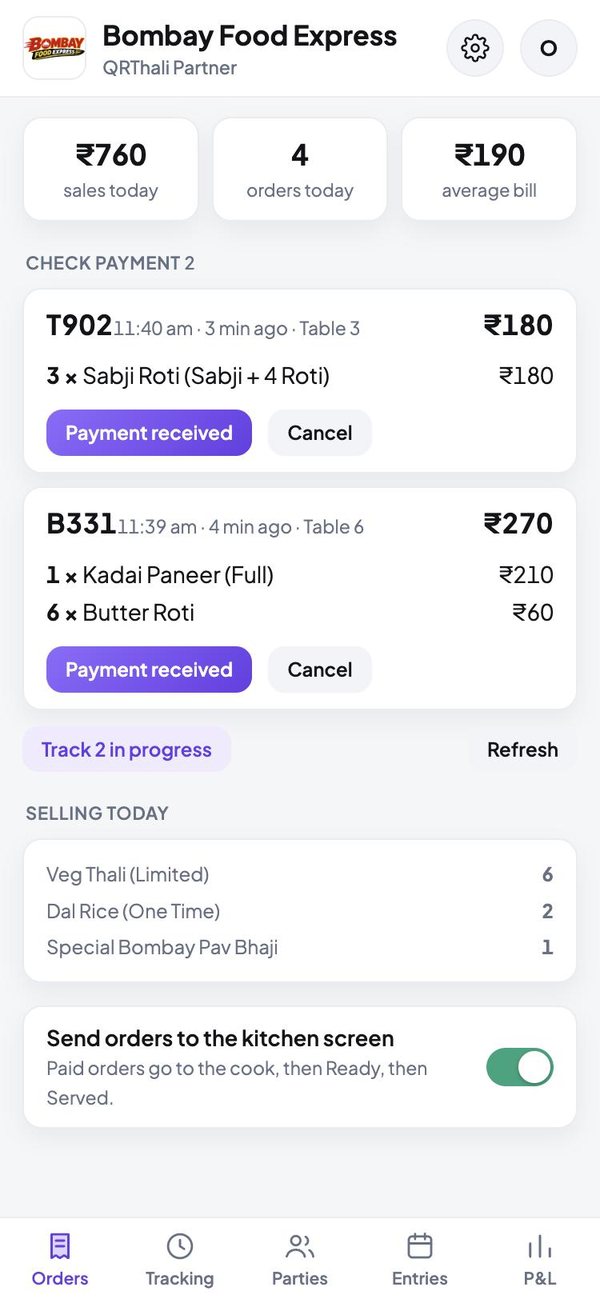
Every order, the moment it is placed
See what is waiting for payment, what is cooking and what has sold today.
- Confirm a payment with one tap
- Today's sale, order count and average bill
- Send orders to the kitchen screen, or finish them at the counter
- What is selling today, dish by dish
9:41
Screen 2
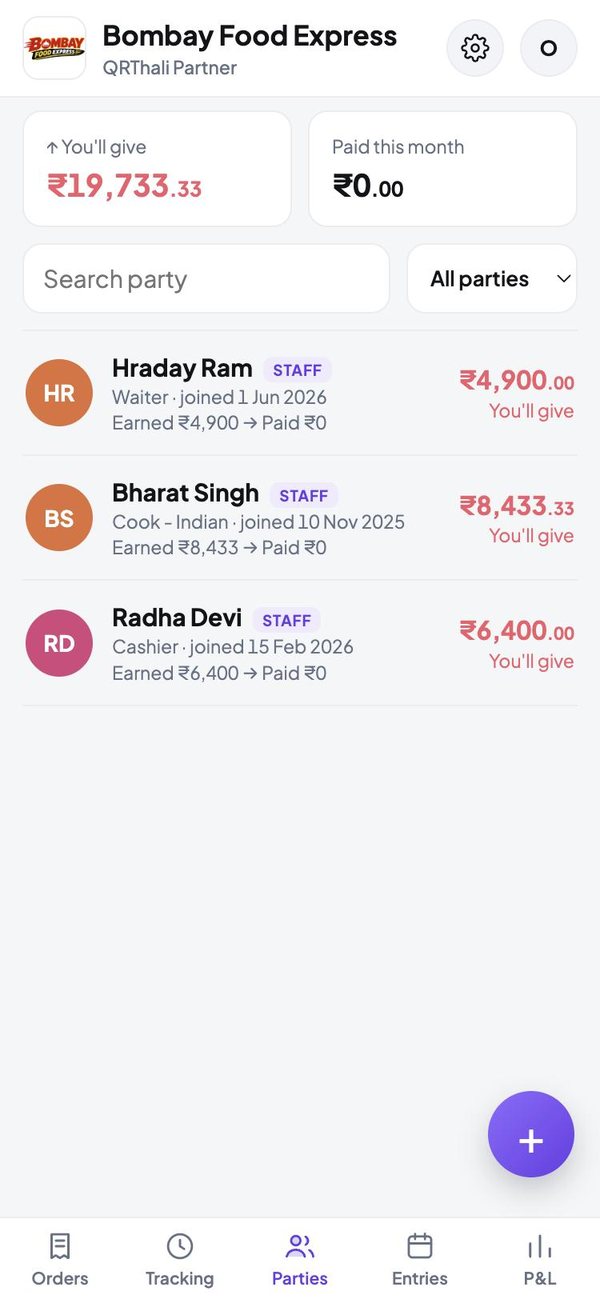
Staff, vendors and bills in one list
Everyone you pay, and what you owe each of them this month.
- Staff with salary earned, paid and due
- Vendors, rent, electricity and other bills
- Pick people straight from your phone contacts
- Staff who ask to join show up for your approval
9:41
Screen 3
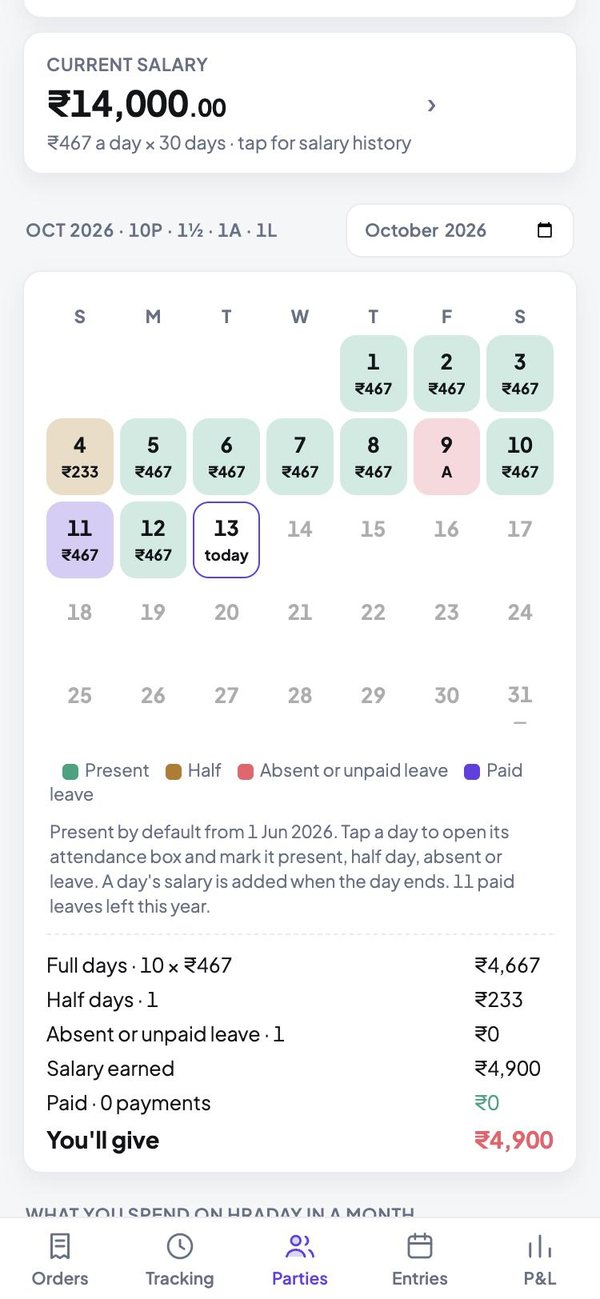
Attendance that works out the salary
Tap a date to mark present, half day, absent or leave. The salary follows.
- A calendar for each person, with the day's wage
- Morning and evening slots, marked one by one
- Staff suggest their own days; you approve
- Payments, advances and salary changes on record
9:41
Screen 4
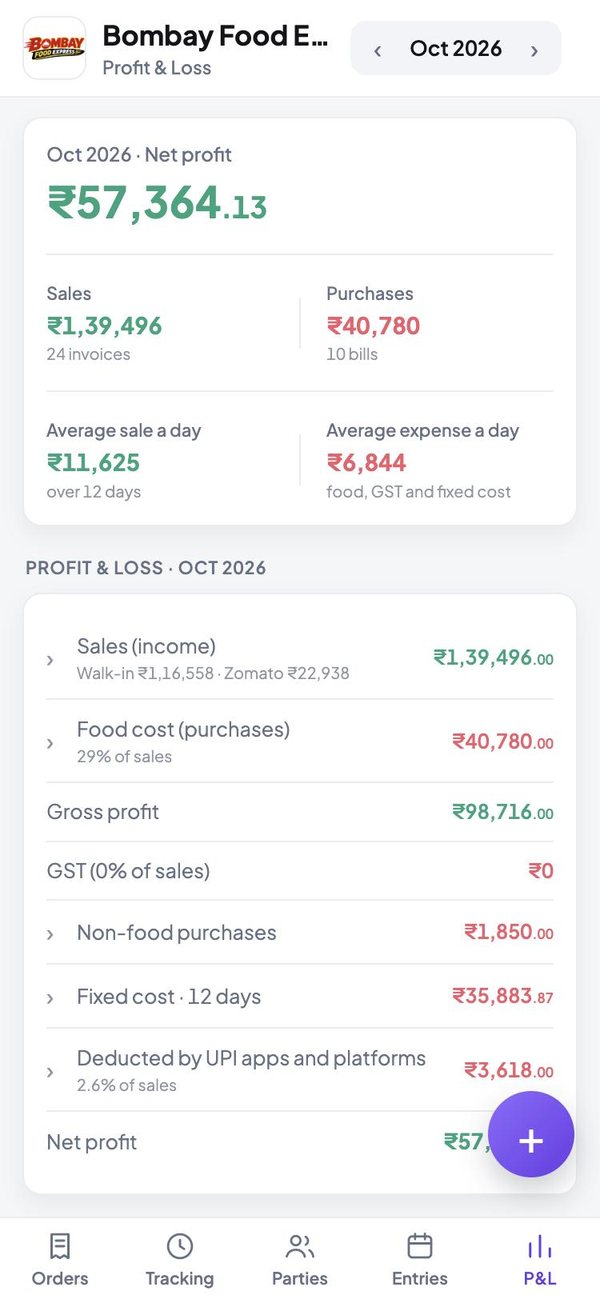
Profit and loss you can read
Sales, food cost, fixed cost and what the apps kept, down to the net profit.
- Walk-in, Zomato and Swiggy sales, side by side
- What each UPI app deducted before it paid you
- Rent, bills and salaries spread across the month
- Vendor bills and what is still to be paid
These are screenshots of the app itself, shown with sample orders and names.
Getting started
Three steps
Register
Sign in with Google and name your restaurant.
Set up
Add dishes, your UPI ID, logo and staff.
Run the day
Take orders, mark attendance and watch the profit.
The other apps
Each person gets their own

Put your restaurant on QRThali today
Register, add your dishes and print the QR codes for your tables.